BlueputDroid download for android 10 (Quince Tart)
APK file BlueputDroid 1.5.0 compatible with Android 10How to install APK / APKS / OBB file on Android

*** Root required ***
This application will allow to use your device as a remote mouse and keyboard for your PC/PS3.
Since low level apis are used, there is no way by now to ensure 100% compatibility with all devices (because of different bluetooth implementations of some vendors): if the log says "invalid or inactive bluetooth device" your only option is to try a different ROM like Cyanogenmod (if available).
Look at the video tutorials for more info:
http://www.youtube.com/watch?v=mU2Gwv3YmzA
http://www.youtube.com/watch?v=JQiCy46KCTE
http://www.youtube.com/watch?v=gfF6Qp1CUQU
Quick tutorial:
- Open the application and click on the start button (top/left button ">")
- Check for errors in the log window
- IMPORTANT: if you got the error "invalid or inactive bluetooth device", your device is not supported and your only option is to try a different ROM like Cyanogenmod (I cannot fix that because the problem is at "kernel" level).
- Pair your device with an host of your choice*
- Once paired, click on the lens button (secondo top/left) to refresh the available bluetooth devices
- Click on a device of your choice to establish a connection
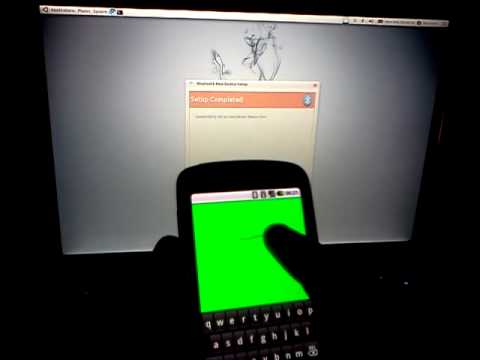
- Once connected a green screen should appear
- Single press to simulate the left mouse button (the background should change in blue)
- Double press to simulate the right mouse button (the background should change in red)
- Hit "menu" to show/hide/change the keyboard
*Tested hosts:
- PS3: works
- Linux: works (tested on Ubuntu 10.10)
- Windows 7: not working yet
- MAC: ? (not tested)
- Vizio Internet TV: works
Like this app? Please rate 5 stars so that it can be improved, thanks!
This is an ad-supported application (it won't start if you disabled ad on your device): please consider buying "BlueputDroidPro" (which doesn't require enabled ad) if you need an ad-free/donation version.
Please respect my work and don't waste your time with unnecessary comments or bad rating for adchecker.
- LicenseFree
- File nameBlueputDroid
- File Version1.5.0
- Package nameberserker.android.apps.blueputdroid
- Size1.35 MB
- UploadedJanuary 12, 2018
- Android2.0 or later
- CategoryTools
- DeveloperBerserker
- Developer site
- Developer emailberserker.devel@gmail.com
- md5 hash960227d8226bfda33747a28e97d90104
- Architecturearmeabi